
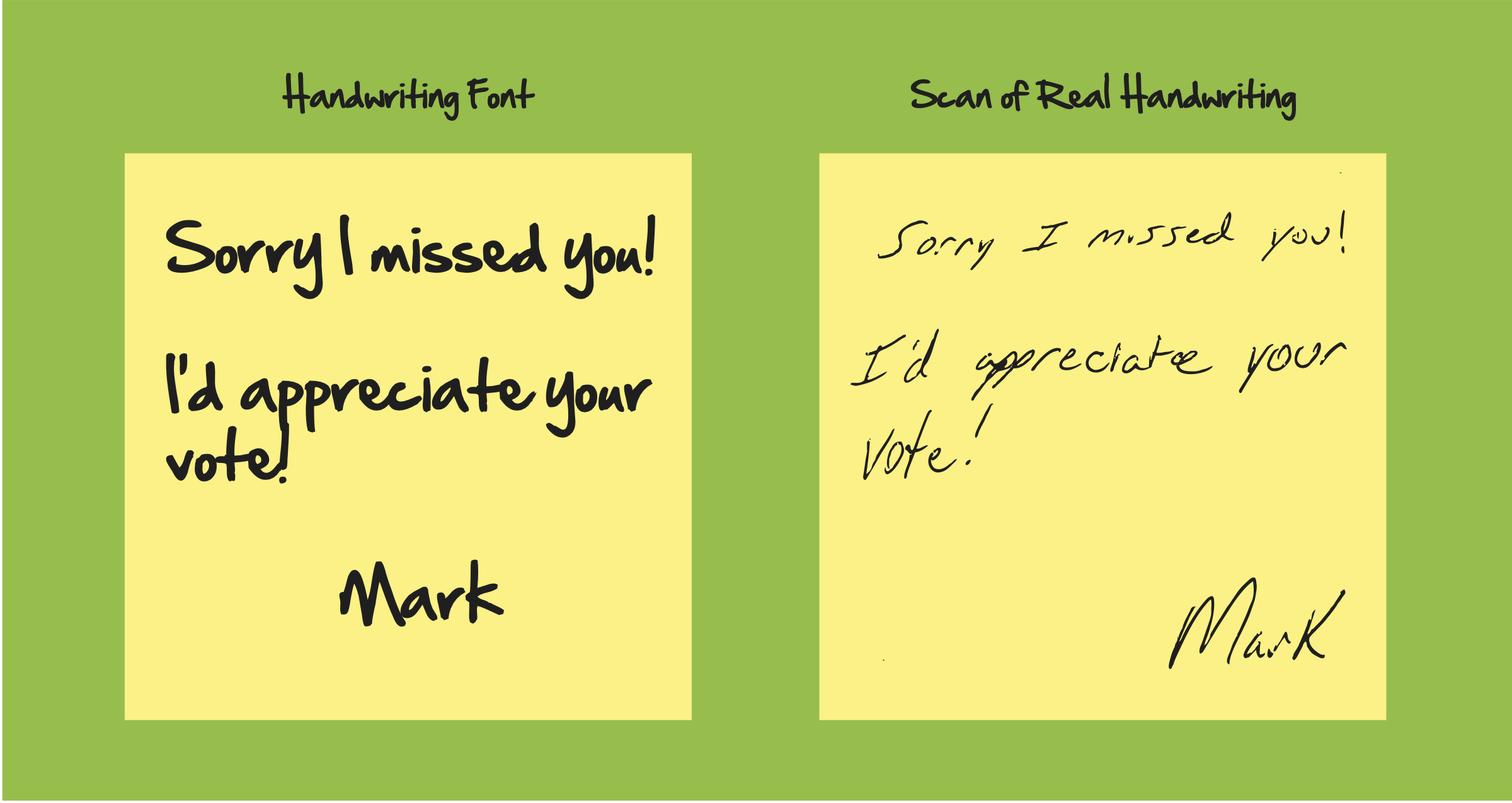
If you're searching for "post-it notes that look like handwriting," you're probably picturing something more personal than a standard printed logo — a note that reads like it was jotted down by a real person, not typed in a corporate font. Good news: Stik2it can print that two different ways, and which one you want depends on how personal you want the result to feel.
Two ways to get the handwriting look
1. Pick a handwriting-style font. We apply the font to your text and print it — fast, consistent, and no scanning required.
2. Send us a scan or photo of your own actual handwriting. We print your real handwriting, not a font that imitates it. This is what most of our customers choose — there's nothing more personal than a note that's genuinely in your own hand (or a founder's, or a loved one's).
Option 1: Our handwriting-style fonts
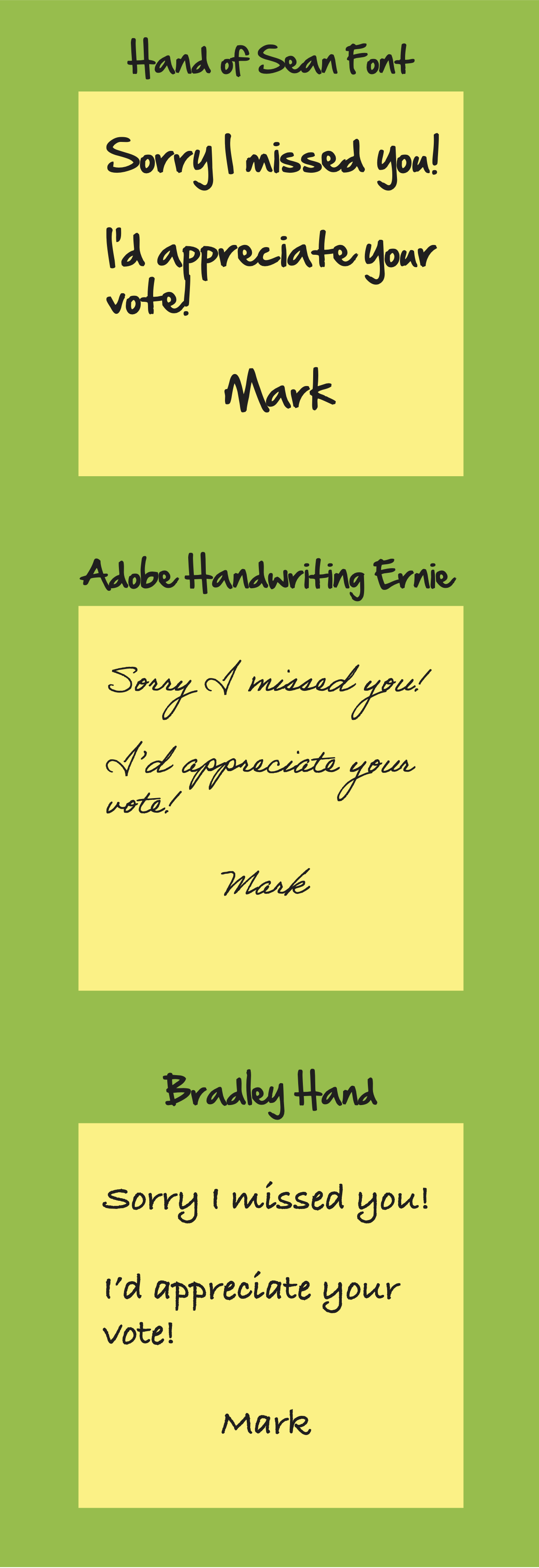
If you don't have a clean sample to scan, or you just want a consistent, repeatable look across every pad, we can set your text in one of our go-to handwriting fonts:
- Hand of Sean — a casual, everyday handwriting look, good for a friendly, approachable note.
- Bradley Hand — a familiar, rounded script that reads clearly even at small sizes — a safe pick if legibility matters as much as style.
- Adobe Handwriting Ernie — part of Adobe's handwriting font family, built to look natural and varied rather than perfectly uniform, like real pen strokes.
Just tell us which one you'd like (or ask to see samples) when you place your order.
Option 2: Print your actual handwriting
This is the option most Stik2it customers go with, because it's genuinely one-of-a-kind — no font can fake your own signature style. Here's how to get a clean result:
- Write on plain white paper with a dark pen or marker — black or dark blue scans and prints most reliably.
- Scan or photograph it at 300 dpi or higher. Our Artwork Upload page explains this in more detail, but 300 dpi (or a sharp, well-lit photo with no shadows) is the standard we ask for on any custom artwork, handwriting included.
- Upload it as a .jpg, .png, or .pdf in the Artwork Upload field on the product page when you order — the same field used for logos and any other custom design.
- You'll get a PDF proof by email before anything goes to press, so you can see exactly how your handwriting will look printed before we run it.
Which should you choose?
Go with a handwriting font if:
- You don't have a sample you're happy with, or don't have time to scan one
- You want the exact same look on every pad, every reorder
- Legibility across a large team or customer base matters more than personal touch
Send us your own handwriting if:
- You want something genuinely unique — a founder's signature, a personal note, a one-of-a-kind gift
- You're making a keepsake or gift item, not just a business supply
- You already have (or can quickly create) a clean, dark, well-lit scan
How to order
Both options start from the same place: our Custom Post-it Notes page. Choose your size and quantity, then either tell us which font you'd like or upload your handwriting scan in the Artwork Upload field — we'll send a proof either way before printing.
Bottom line
You don't have to choose between "looks handwritten" and "actually is handwritten" — Stik2it can do either. Most customers pick their own handwriting because nothing reads as more personal, but our handwriting fonts are a fast, reliable option when you need a consistent look at scale.